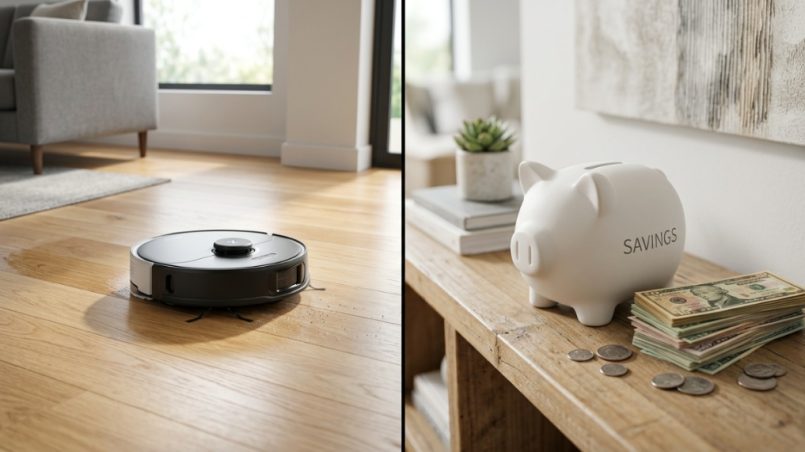
You finally decide to buy a robot vacuum and mop combo, and then you see the price tags—$800, $1,000, even more. Your wallet cringes. I get it. The promise of automated floor cleaning is tempting, but the cost can feel like a second mortgage payment. The good news? You do not need to spend a fortune to get a capable 2-in-1 cleaning machine. This guide will show you exactly how to save money robot vacuum mop combos without sacrificing the features that actually matter.
What Features Should You Pay For vs. Skip?
Not every premium feature is worth the extra cash. Focus on the ones that solve real problems and skip the gimmicks that drive up the price without improving performance.
Must-Have Features for Budget Buyers
LiDAR navigation tops the list. It maps your home accurately and prevents the robot from bumping into furniture. Without it, you get random cleaning patterns that miss spots. Also look for at least 2,000Pa of suction for carpets and a mopping system that actually scrubs rather than just drags a wet cloth.
Features You Can Safely Skip
Self-emptying bases add $200–$400 to the price. While convenient, you can empty the dustbin yourself for five seconds a day. Camera-based obstacle avoidance sounds cool but often fails on dark rugs or low-light corners. Stick with LiDAR and save the cash.
Battery Life vs. Square Footage
Match battery capacity to your home size. A 5,200mAh battery covers about 2,000 square feet on one charge. If your home is smaller, a 3,000mAh battery works fine and costs less. Overspending on battery capacity you will never use is a common mistake.
How Do You Find the Best Deals on Robot Mop Combos?
Great prices are not random. They follow predictable patterns. Learn the timing and tactics, and you can save hundreds.
Seasonal Sales That Actually Matter
Amazon Prime Day in July and Black Friday in November offer the steepest discounts—often 40–50% off. Memorial Day and Labor Day sales also bring solid markdowns on last year’s models. Set price alerts on CamelCamelCamel or Keepa to catch drops instantly.
Refurbished and Open-Box Units
Manufacturer-refurbished units come with warranties and look like new. Check eBay’s certified refurbished program or the brand’s own outlet store. Open-box returns from Best Buy or Walmart often work perfectly—someone just changed their mind. You can save 30–50% this way.
Coupon Stacking Strategies
Use browser extensions like Honey or Capital One Shopping to auto-apply coupons. Combine that with a store credit card discount (if you pay off immediately) and cashback apps like Rakuten. Stacking three discounts can drop a $600 model to $350.
Which Budget Brands Offer the Most Value?
Several brands deliver reliable cleaning for under $400. The trick is knowing which ones to trust and which to avoid.
Reliable Budget Contenders
Roborock’s Q-series offers excellent navigation and mopping for around $350. Dreame’s D-series provides similar performance with strong suction at a slightly lower price. Eufy’s L-series keeps things simple and affordable—often under $300 for a solid 2-in-1.
Brands to Approach with Caution
Generic no-name brands on Amazon often lack reliable app support and replacement parts. If you cannot find filter packs or side brushes for a model, skip it. Long-term ownership costs can exceed what you saved upfront.
Comparison of Top Budget Models
| Model | Price Range | Navigation | Suction | Mopping Type |
|---|---|---|---|---|
| Roborock Q5+ | $300–$400 | LiDAR | 2,700Pa | Electrostatic pad |
| Dreame D9 | $250–$350 | LiDAR | 4,000Pa | Oscillating mop |
| Eufy L35 | $280–$380 | LiDAR | 4,000Pa | Electrostatic pad |
| iRobot Roomba i3+ | $350–$450 | IMU + camera | 1,750Pa | Drag cloth |
For a curated list of best-in-class options under various budgets, check out the detailed recommendations on the save money robot vacuum mop combos page—it covers specific models tested for real-world performance.
Can You Get Good Mopping Performance on a Budget?
Yes, but you need to adjust expectations. Budget mopping systems differ from flagship models, and understanding the gap helps you choose wisely.
Electrostatic vs. Oscillating Mops
Electrostatic mops use a cloth that wipes the floor with downward pressure. They handle light maintenance cleaning well. Oscillating mops vibrate or spin the pad, providing better scrubbing for dried-on stains. Budget models typically use electrostatic, which works fine for daily upkeep if you wipe spills promptly.
Water Tank Size and Control
Smaller tanks (200ml–300ml) require refills for larger homes. Look for adjustable water flow settings so you can turn down moisture for wood floors or up for tile. Budget models often have fixed flow, so test on a hidden spot first.
Mopping Pad Maintenance Tips
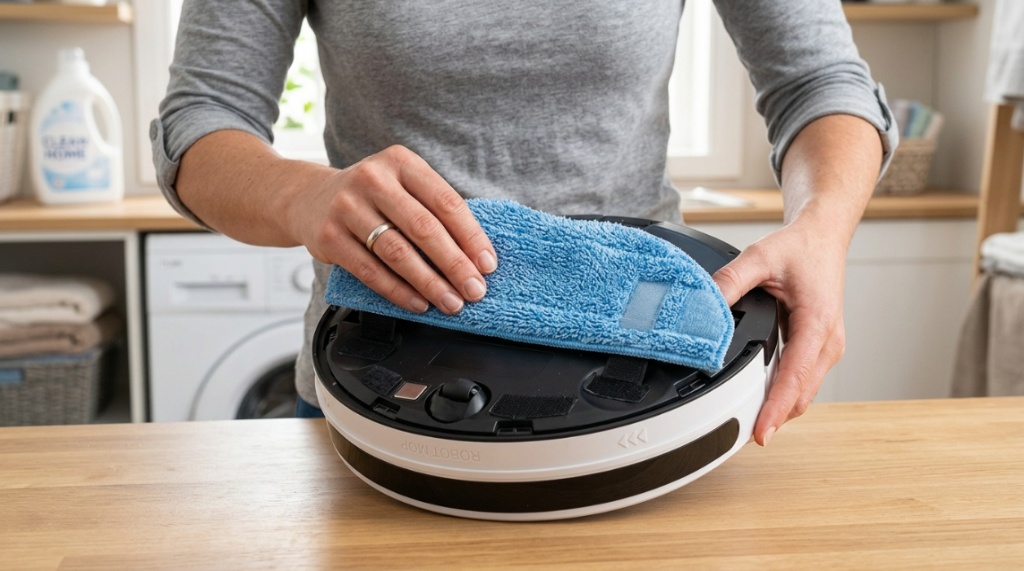
Wash the pad after every use to avoid spreading dirt. Buy two or three extra pads—they cost $10–$15 each—so you always have a clean one ready. This simple habit extends the life of your mop system and keeps floors streak-free.
How Do You Maximize Performance from an Affordable Combo?
Even a budget robot can perform like a more expensive model with the right setup and maintenance. Here is how to get the most out of yours.
Map Your Home Properly
Run the full mapping cycle without interrupting. Place the dock in an open area with clear line of sight. Use the app to set no-go zones near pet bowls and power cords. A good map prevents crashes and saves battery life by avoiding useless travel.
Pre-Clean for Better Results
Pick up loose cables, socks, and small toys before each run. Budget robots lack advanced obstacle avoidance, so they will tangle. Spending 30 seconds clearing the floor doubles the robot’s cleaning efficiency.
Scheduled Maintenance Schedule
Clean the brushes and wheels weekly. Replace filters every two to three months. A well-maintained budget robot lasts three to four years. Neglected ones die in 12 months. Set a recurring phone reminder for these tasks.
What Are the Hidden Costs of Owning a Robot Mop Combo?
Upfront price is only part of the story. Long-term costs can add up or stay minimal depending on your choices.
Replacement Parts and Consumables
Side brushes, main brushes, filters, and mopping pads need periodic replacement. Yearly costs range from $50 to $120 depending on the brand. Stick with popular models from major brands—parts stay available longer and cost less.
Warranty and Repair Options
Most budget robots come with a one-year warranty. Extended warranties cost extra but may not be worth it on cheaper models. Self-repair is often possible using YouTube guides and generic parts. Look for models with modular battery and brush assemblies that you can replace without soldering.
Energy and Water Usage
These robots use about 30–60 watts per charge, costing pennies per month. Water usage is negligible. Do not let concerns about utility bills influence your choice—they are not significant factors.
Is a Robot Vacuum Mop Combo Worth It for Small Apartments?
Absolutely. Small spaces actually benefit more from these devices than large homes do, provided you choose the right model.
Size and Storage Advantages
Compact robots fit under furniture that upright vacuums cannot reach. They clean while you work or sleep, freeing up your limited square footage for living. A robot also eliminates the need to store a bulky vacuum.
Mopping Frequency for Apartment Floors
In a small apartment, you can run the robot daily without noise complaints. Daily light mopping keeps floors noticeably cleaner than weekly deep cleaning. Set it to mop every evening and wake up to fresh floors.
No-Go Zones for Limited Layouts
Use virtual walls or app-based no-go zones to keep the robot away from carpeted areas if you are mopping. Many budget models support selective room cleaning—set it to mop only the kitchen and bathroom tiles.
How Do You Choose Between a Hybrid Model or Separate Devices?
Separate devices sometimes offer better performance for the same total cost. Here is how to decide.
Pros of a Single Combo Unit
One device saves space and requires one charging dock. It transitions automatically between vacuuming and mopping. For everyday maintenance cleaning, a combo works seamlessly. Most users prefer this convenience.
Pros of Separate Robot Vacuum and Mop
Buying a dedicated robot vacuum and a separate robot mop gives you higher performance in each category for about the same total price. A $200 vacuum + $150 mop often outperforms a $350 combo model. The downside: you need two docks and two apps.
Which Scenario Fits Your Life?
If you have mostly hard floors and only light mopping needs, a combo is perfect. If you have thick carpets plus large tile areas that need serious scrubbing, separate devices give better results. Think about your floor mix and cleaning standards before buying,nvesting in smart home technology is a great way to modernize your space on a budget. However, just like mapping out your home layout to avoid five common kitchen renovation mistakes, buying a smart appliance requires upfront planning so you don’t overspend on features you will never use.
Frequently Asked Questions
How much should I spend on a good robot vacuum and mop combo?
Expect to spend between $250 and $400 for a reliable model with LiDAR navigation, decent suction, and functional mopping. Spending less than $200 often results in poor navigation and weak cleaning.
Can budget robot mops damage hardwood floors?
Most budget models let you control water flow, so damage is unlikely if you use the lowest setting. Always test on a small hidden area first and remove the mopping plate for carpeted rooms.
How often should I replace the mopping pad?
Replace the pad every two to three months depending on usage. Wash it after every use to extend its life. Buy a multipack to always have a clean spare ready.
Do robot vac mop combos work on thick carpets?
Most budget models struggle on carpets thicker than 0.5 inches. They work best on low-pile carpets or area rugs. If you have plush carpeting, look for a model with at least 3,000Pa suction.
How long do budget robot vacuums last?
With regular maintenance, budget models last three to four years. Battery replacement around year two can extend that to five years. Cheap filters and infrequent cleaning shorten the lifespan significantly.
Can I control the robot with Alexa or Google Home?
Most budget models from major brands support voice control via Alexa or Google Assistant. Check the product specifications before buying—some ultra-budget units skip this feature.
Is it worth buying a refurbished robot vacuum mop combo?
Yes, if it comes with a warranty from the manufacturer or a trusted retailer. Refurbished units can save you 30–40% and perform identically to new ones. Avoid units without a return policy.
You now have a clear roadmap to save money robot vacuum mop combos. Focus on essential features, time your purchase to seasonal sales, and maintain your unit well. A capable robot for under $400 is not a myth—it is a reality if you follow these strategies. Your floors will stay clean, and your wallet will thank you.